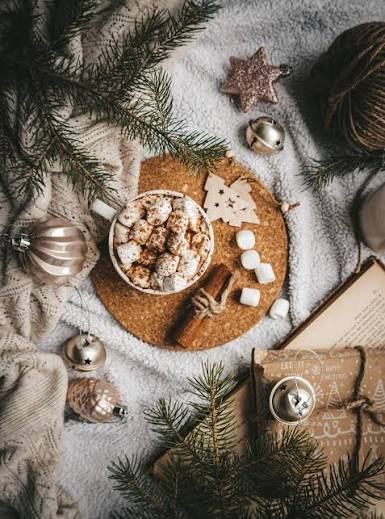

Christmas has a way of making ordinary moments feel special, and your phone can become part of that celebration with the right iphone christmas wallpaper. A beautiful festive background can instantly give your iPhone a warmer, more cheerful appearance, whether you prefer classic Christmas trees, snowy landscapes, glowing lights, cute characters, or elegant winter designs.
Your iPhone is something you probably check dozens of times throughout the day, so changing its wallpaper is a simple way to bring seasonal personality to your everyday routine. The best designs are not necessarily the busiest ones. A carefully chosen image with balanced colors, clear details, and enough empty space can make the Lock Screen and Home Screen look polished without making icons difficult to see.
Why Christmas Wallpapers Feel Special
Seasonal wallpapers work because they create a visual connection with the time of year. Christmas imagery often combines familiar elements such as snow, stars, ornaments, wrapped presents, pine trees, candles, and warm lights. These details can create a cozy atmosphere even when they appear on something as practical as a smartphone.
An iphone christmas wallpaper can also reflect personal taste. Someone who enjoys traditional decorations may choose red and green artwork, while another person might prefer a minimalist white winter scene. Families may enjoy cute illustrations, while photography lovers may select a realistic snowy landscape.
The beauty of changing a wallpaper is that there is no permanent commitment. You can experiment with different designs throughout December and switch back to a regular background whenever the holiday season ends.
Choosing the Right Design
The ideal Christmas wallpaper depends on how you use your iPhone and what kind of appearance you enjoy. A visually attractive picture can still be frustrating if it places important details directly behind the clock, widgets, or app icons.
For the Lock Screen, consider an image with a relatively clean upper area. The clock occupies a noticeable part of the display, so an uncluttered background can make the time easier to read. Snow-covered scenery, softly blurred lights, or a Christmas tree positioned toward one side can work particularly well.
The Home Screen requires a slightly different approach. App icons cover much of the background, meaning highly detailed artwork can become visually crowded. A simple pattern, soft gradient, subtle snowfall, or darker festive image may provide a cleaner appearance.
Think About Color
Color has a major influence on how a wallpaper feels. Traditional Christmas colors such as deep red, green, gold, and white immediately create a familiar holiday atmosphere. Blue and silver can produce a colder winter feeling, while cream, beige, and warm gold can give the screen a softer and more elegant look.
Dark backgrounds can also be practical because bright app icons may stand out more clearly. However, the best choice depends on your iPhone model, display settings, and personal preference.
Popular Christmas Wallpaper Styles
Traditional Christmas designs remain popular because they capture the recognizable spirit of the holiday. A decorated evergreen tree surrounded by presents, warm lights, and ornaments can instantly make a phone feel festive.
Winter landscapes offer another timeless option. Imagine snow-covered mountains, a quiet forest, falling snow, or a small cabin glowing against a cold evening sky. These images can feel peaceful rather than overly decorative.
Cute Christmas illustrations are especially appealing to people who prefer playful designs. Cartoon-style Santa Claus figures, smiling snowmen, reindeer, gingerbread characters, and tiny Christmas trees can give an iPhone a cheerful personality.
Minimalist wallpapers are ideal for users who want something festive without overwhelming their screen. A single ornament, a small tree, delicate snowflakes, or simple lettering can communicate the season while maintaining a clean visual style.
For an elegant appearance, look for wallpapers featuring gold ornaments, soft candlelight, sophisticated Christmas trees, or subtle metallic details. These designs can work particularly well with modern iPhone displays.
Making the Wallpaper Work With Your Lock Screen
Apple’s modern iPhone software provides several ways to personalize the Lock Screen, including combinations of wallpapers, clocks, widgets, and other visual elements. Because these components share the same screen, choosing an appropriate background is important.
A wallpaper with strong contrast can make the clock stand out, while a busy image can compete with it. When selecting an iphone christmas wallpaper, preview it on the actual device rather than judging only the original image.
Pay attention to where the main subject appears. If a Christmas tree fills the center of the image, the clock and widgets may cover some of its most attractive details. A composition that leaves breathing room around the top and center can often produce a more balanced result.
You can also consider using complementary images for the Lock Screen and Home Screen. For example, a detailed snowy Christmas scene could appear on the Lock Screen while a simpler dark green or red design could be used behind the app icons.
Getting Better Image Quality
Image quality matters more than many people realize. A wallpaper that looks sharp on a computer can sometimes appear soft or poorly cropped on a phone. High-resolution images generally provide better results because they give the device more information when displaying or adjusting the picture.
Before setting a background, check whether the image has enough resolution for your particular iPhone. Extremely small pictures may become blurry when enlarged. Images with unusual proportions may also require cropping, which can remove important parts of the design.
A good Christmas background should remain attractive after cropping. Images with the primary subject near the edges may lose important details when adjusted to fit the display.
Avoid Overly Busy Images
More detail does not automatically mean a better wallpaper. A photograph packed with ornaments, lights, gifts, characters, and text may look exciting at first but become distracting when combined with widgets and icons.
A strong composition usually has a clear focal point. The eye should know where to look instead of being pulled in several directions. This is particularly important on smaller screens where every visual element occupies a significant portion of the display.
Personalizing Your Christmas Screen
One of the easiest ways to make a seasonal wallpaper feel more personal is to coordinate it with the rest of your Lock Screen. You might choose widgets that match the overall mood or use a color combination inspired by the wallpaper.
For example, a warm red-and-gold background can create a traditional holiday appearance, while a blue-and-white snowy image can give the phone a crisp winter feeling. A minimalist Christmas tree can pair nicely with a simple clock and limited widgets.
Some people also enjoy using family photographs with subtle Christmas decorations. A favorite holiday memory can be more meaningful than a generic festive image, particularly when the picture has personal significance.
Christmas Wallpapers for Different Tastes
There is no single style that defines a perfect Christmas phone background. Traditional users may prefer familiar holiday scenes, while younger audiences might gravitate toward colorful illustrations or cute characters.
Nature lovers can choose snowy forests, mountain scenes, frozen lakes, or winter sunsets. Fans of luxury aesthetics may prefer elegant ornaments and warm golden lighting. Those who enjoy simplicity can select understated snowflakes, stars, or monochromatic designs.
The most important consideration is whether the image feels right when you look at your phone every day. A wallpaper does not need to follow a particular trend to be effective.
How to Set a Christmas Wallpaper
Changing the background on an iPhone is straightforward. Open the wallpaper customization options through the device’s Settings or Lock Screen customization interface, select a new wallpaper, adjust its appearance if necessary, and apply it to the appropriate screen.
Before confirming the change, check the preview carefully. Make sure the clock remains readable and that important parts of the picture are not hidden behind interface elements.
If you regularly change wallpapers, keeping a small collection of favorite seasonal images can make the process even easier. You can then switch between designs whenever you want a different atmosphere.
FAQ
What makes a good iPhone Christmas wallpaper?
A good wallpaper combines attractive imagery with practical readability. High resolution, balanced composition, suitable colors, and enough clear space for the clock and icons can make a significant difference.
Can I use Christmas photos as my iPhone wallpaper?
Yes. Personal Christmas photographs can make excellent wallpapers. Family gatherings, decorated trees, snowy scenery, and memorable holiday moments can all create meaningful backgrounds.
Should I choose different wallpapers for the Lock Screen and Home Screen?
You can. A detailed image may work better on the Lock Screen, while a simpler background can make Home Screen icons easier to recognize. Using coordinated images can create a more polished overall appearance.
Are dark Christmas wallpapers useful?
Dark wallpapers can provide strong contrast with many interface elements and may create an elegant nighttime Christmas atmosphere. Their appearance will vary depending on your iPhone’s display settings and the surrounding design.
Can I change my Christmas wallpaper after the holidays?
Absolutely. Wallpapers are easy to change, so you can enjoy festive designs during December and return to your favorite everyday background afterward.
Conclusion
A well-chosen iphone christmas wallpaper can turn an everyday device into a small part of your holiday celebration. Whether you prefer a traditional Christmas tree, a peaceful snowy landscape, cute festive artwork, or an elegant minimalist design, the right background can make your screen feel more personal and seasonal.
The best choice is ultimately the one that balances beauty with usability. Look for a clear composition, suitable colors, good image quality, and enough space for the iPhone’s clock, widgets, and app icons. With a little attention to these details, your iphone christmas wallpaper can bring a warm festive touch to your screen throughout the holiday season.